
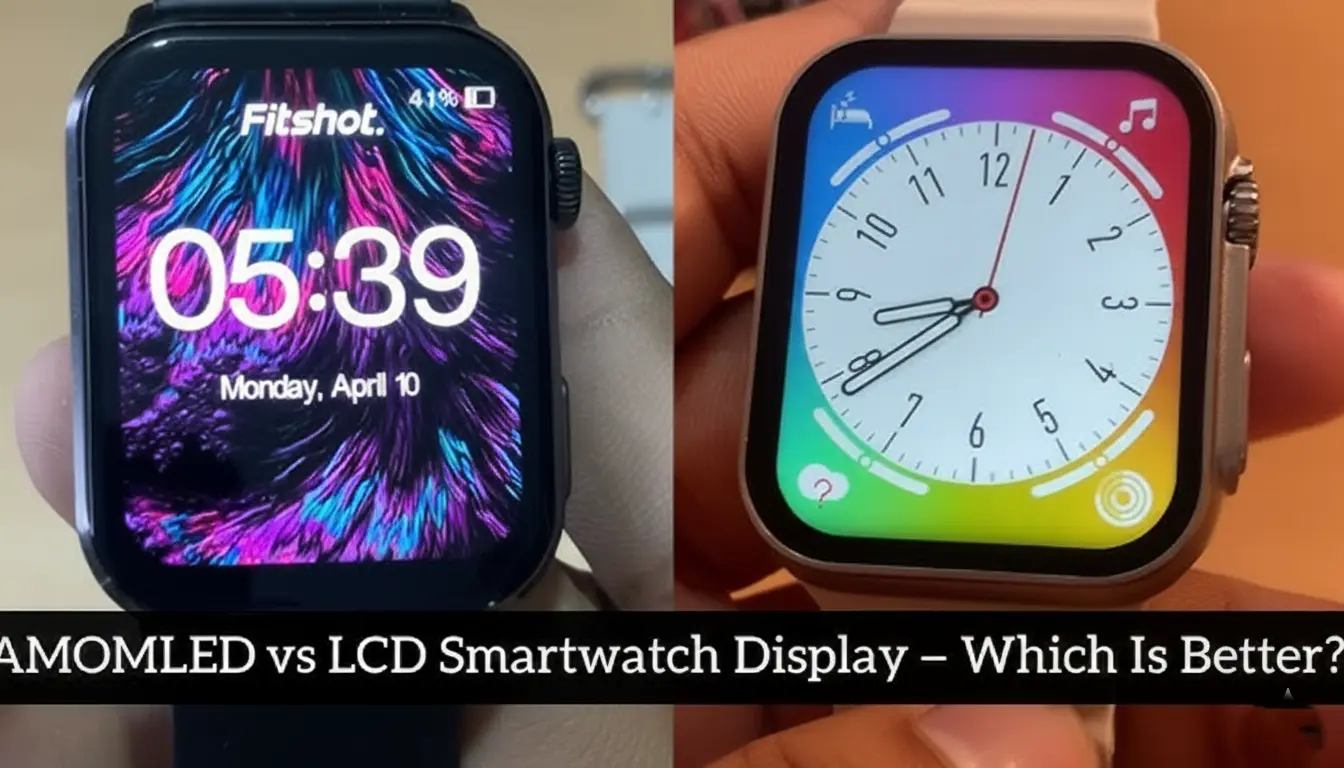
Choosing the right smartwatch can feel overwhelming, especially when you’re faced with technical terms like AMOLED and LCD displays. If you’ve ever wondered why some smartwatches have vibrant, deep blacks while others look washed out in sunlight, the display technology is your answer.
In this guide, we’ll break down everything you need to know about AMOLED and LCD smartwatch screens. Whether you’re a fitness enthusiast, a tech lover, or someone looking for their first smartwatch, understanding these display types will help you make a smarter buying decision. Let’s dive into which technology truly deserves a spot on your wrist.
What Is an AMOLED Display?
AMOLED stands for Active Matrix Organic Light-Emitting Diode. That’s quite a mouthful, but the concept is straightforward. Unlike traditional displays that need a backlight, each pixel in an AMOLED screen produces its own light.
This technology has become increasingly popular in premium smartwatches because of its stunning visual quality. When you look at an AMOLED display, you’ll immediately notice the rich colors and incredible contrast. The blacks aren’t just dark—they’re truly black because those pixels are completely turned off.
How AMOLED Technology Works
Think of an AMOLED screen as having millions of tiny light bulbs, where each one can independently turn on or off. This individual pixel control creates several advantages:
- Perfect black levels – Turned-off pixels emit no light
- Exceptional contrast ratios – The difference between light and dark is dramatic
- Vivid color reproduction – Colors appear more saturated and lifelike
- Thinner display design – No backlight layer means slimmer watches
What Is an LCD Display?
LCD stands for Liquid Crystal Display, and it’s been the workhorse of screen technology for decades. You’ll find LCD screens in everything from calculators to televisions, and yes, many affordable smartwatches use this technology too.
The fundamental difference is that LCD displays require a backlight to illuminate the screen. The liquid crystals don’t produce light themselves—they act like shutters that control how much backlight passes through to create the image you see.
How LCD Technology Works
An LCD smartwatch screen has several layers working together:
- A backlight layer that’s always on when the screen is active
- Liquid crystal cells that twist to block or allow light
- Color filters that create the full spectrum of colors you see
- A glass layer to protect everything underneath
This setup means LCD displays operate differently than AMOLED screens, which affects their performance in various conditions.
AMOLED vs LCD: Side-by-Side Comparison
Now that we understand the basics, let’s compare these technologies across the factors that matter most for smartwatch users.
Display Quality and Visual Experience
When it comes to pure visual appeal, AMOLED displays typically have the upper hand. The colors pop off the screen with an intensity that LCD panels struggle to match. If you’re someone who loves watching the sunset on your watch face or viewing photos from your phone, AMOLED delivers a premium viewing experience.
LCD displays offer respectable image quality, but they can’t achieve the same depth in darker scenes. The blacks appear more like dark gray because the backlight is always on to some degree. However, modern LCD screens have improved significantly, and many users find them perfectly adequate for daily smartwatch tasks.
Outdoor Visibility in Bright Sunlight
Here’s where things get interesting. You might assume that brighter always means better, but outdoor visibility depends on more than just brightness levels.
LCD advantages in sunlight:
- Constant backlight provides consistent brightness
- Less prone to glare in some conditions
- Often maintain readability even in direct sunlight
AMOLED performance:
- High-end AMOLED displays can get extremely bright
- Individual pixel control allows for excellent adaptation
- May require higher brightness settings, affecting battery
In my experience, a quality LCD display often edges out mid-range AMOLED screens when you’re outdoors on a sunny day. However, premium AMOLED displays with high brightness capabilities perform exceptionally well in all lighting conditions.
Battery Life Considerations
Battery life is crucial for smartwatch users, and display technology plays a significant role in how long your device lasts between charges.
AMOLED displays have a unique advantage with always-on display features. Since black pixels are completely off, showing a watch face with mostly black background consumes very little power. This is why many AMOLED smartwatches can display the time constantly without draining the battery quickly.
LCD displays use a consistent amount of power when the screen is on because the entire backlight must stay illuminated. This means:
- LCD watches typically can’t offer power-efficient always-on displays
- Bright, colorful watch faces consume similar power regardless of display type
- AMOLED becomes more efficient with darker themes and watch faces
- LCD might actually be more efficient with predominantly white or bright interfaces
The real-world difference can range from a few hours to a full day of usage, depending on how you use your smartwatch.
Durability and Longevity
When you’re investing in a smartwatch, you want it to last. Both display types have their strengths and potential weaknesses.
AMOLED Durability Concerns
The organic materials in AMOLED displays can degrade over time, leading to a phenomenon called screen burn-in. This happens when static images (like icons or watch hands) remain in the same position for extended periods, creating ghost images that persist even when displaying different content.
Modern AMOLED watches include protections against burn-in:
- Pixel shifting technology
- Automatic brightness adjustments
- Screen timeout features
- Varied watch face designs
With normal use, burn-in is rarely a problem, but it’s worth considering if you plan to keep your smartwatch for many years.
LCD Reliability
LCD displays don’t suffer from burn-in issues, which is a significant advantage for longevity. The backlight may dim slightly over several years of use, but this degradation is typically gradual and uniform across the screen.
The main vulnerability for LCD watches is the backlight itself. If it fails, the entire display becomes unusable, though this is relatively rare with quality manufacturing.
Price and Value Considerations
Budget matters when choosing a smartwatch, and display technology significantly impacts the price tag.
Smartwatches with LCD displays generally cost less. You’ll find capable fitness trackers and basic smartwatches with LCD screens starting around $50 to $150. These devices offer solid functionality without the premium price of AMOLED technology.
AMOLED smartwatches typically start at higher price points, often $200 and above for quality models. However, as the technology has matured, we’re seeing more affordable options entering the market with AMOLED displays.
The question isn’t just about upfront cost—it’s about value. If you use your smartwatch heavily for notifications, fitness tracking, and always-on display features, the battery efficiency and visual quality of AMOLED might justify the extra investment.
Which Display Type Should You Choose?
The best display technology for your smartwatch depends on your priorities and how you plan to use it.
Choose AMOLED If You:
- Want the best possible visual quality and vibrant colors
- Plan to use always-on display features extensively
- Prefer deeper blacks and higher contrast
- Don’t mind paying a premium for display quality
- Use your smartwatch for media consumption or photos
Choose LCD If You:
- Have a tighter budget for your smartwatch purchase
- Spend lots of time outdoors in bright sunlight
- Prefer proven, reliable technology
- Don’t need always-on display functionality
- Want a watch that’s less prone to long-term screen issues
Popular Smartwatch Models and Their Displays
To give you some real-world context, here’s how different smartwatch brands approach display technology:
AMOLED Leaders:
- Samsung Galaxy Watch series – Known for vibrant, high-quality AMOLED
- Apple Watch models – Superior AMOLED panels with excellent brightness
- Premium Garmin models – Combining AMOLED with sports features
LCD Options:
- Many Fitbit models – Balancing affordability with functionality
- Entry-level Amazfit watches – Good value for budget-conscious buyers
- Basic fitness trackers – Prioritizing battery life and cost
Tips for Getting the Most from Your Smartwatch Display
Regardless of which technology you choose, these tips will help you maximize your smartwatch display experience:
For AMOLED watches:
- Use dark watch faces to extend battery life
- Enable auto-brightness to adapt to different lighting
- Rotate watch faces periodically to prevent burn-in
- Take advantage of always-on display for convenience
For LCD watches:
- Adjust brightness settings to find the sweet spot between visibility and battery life
- Keep the screen clean for better outdoor visibility
- Consider using gesture wake-up to save power
- Choose watch faces with good contrast for easier reading
The Future of Smartwatch Displays
Display technology continues to evolve rapidly. We’re seeing improvements in both AMOLED and LCD technologies, with new innovations on the horizon.
MicroLED displays represent the next generation, promising the benefits of AMOLED without the burn-in concerns. Some manufacturers are also exploring hybrid approaches that combine the strengths of both technologies.
As competition increases and manufacturing costs decrease, we can expect even better displays at more affordable price points in the coming years.
Conclusion
Both AMOLED and LCD displays have their place in the smartwatch market, and neither is universally “better” than the other. Your choice should align with your specific needs, budget, and preferences.
If stunning visuals, always-on capability, and premium aesthetics matter most to you, AMOLED is worth the investment. But if you’re looking for reliable performance, excellent outdoor visibility, and better value for money, LCD displays remain a solid choice.
The good news is that modern smartwatches with both display types can serve you well for daily wear, fitness tracking, and staying connected. Take your time researching specific models, read user reviews, and consider trying them in person if possible.
What’s your experience with smartwatch displays? Have you noticed a significant difference between AMOLED and LCD in your daily use? Drop a comment below and share your thoughts with our community!
Do AMOLED smartwatches really drain battery faster than LCD?
Not necessarily. AMOLED displays are actually more power-efficient when displaying dark content and using always-on features. They may use more power with bright, colorful watch faces, but overall battery life depends on many factors beyond just the display type.
Can LCD smartwatches have always-on displays?
Some LCD smartwatches offer always-on displays, but they’re less power-efficient than AMOLED versions. The constant backlight requirement means LCD always-on displays consume more battery, which is why they’re less common on LCD watches.
Is screen burn-in a serious problem with AMOLED smartwatches?
Screen burn-in is uncommon with modern AMOLED smartwatches thanks to built-in protections like pixel shifting and varied watch face designs. With normal use, most users never experience noticeable burn-in during the typical lifespan of their device.
Which display type is better for fitness tracking outdoors?
Quality LCD displays often perform better in direct sunlight for outdoor fitness activities. However, high-end AMOLED displays with sufficient brightness can also work well outdoors. The best choice depends on the specific model and your typical workout environment.
Are AMOLED displays worth the extra cost?
This depends on your priorities. If you value superior visual quality, deeper blacks, and efficient always-on functionality, AMOLED displays justify their premium. For basic smartwatch functions and fitness tracking, LCD displays provide excellent value without the extra cost.